COMPANION APP
As part of a broader health platform ecosystem, we needed to design a companion app that connects a Bluetooth-enabled health band or smartwatch to a user’s smartphone, ensuring health data flows seamlessly into the main Health & Longevity App.
Project Overview
Product: Bluetooth Companion App
Domain: Digital Health
Role: UX Lead & Designer
Users: Longevity App Users
Platforms: iOS mobile app, Wearable device
Focus: Delivering a frictionless bridge between wearable and platform
Tools: FIGMA, Confluence, JIRA, Maze
My Role:
UX research and journey mapping
Interaction design and system state modelling
Wireframing and high-fidelity UX design
Collaboration with engineers on BLE constraints and background syncing logic
Iterative usability testing and refinement
The challenge was to make the connection process intuitive and reliable, given that Bluetooth pairing can often be a major source of user frustration. My role focused on understanding the mental model of users around device connectivity, and translating that into a guided, reassuring flow that built confidence and minimized setup friction.
Through iterative design and testing, the app was shaped to:
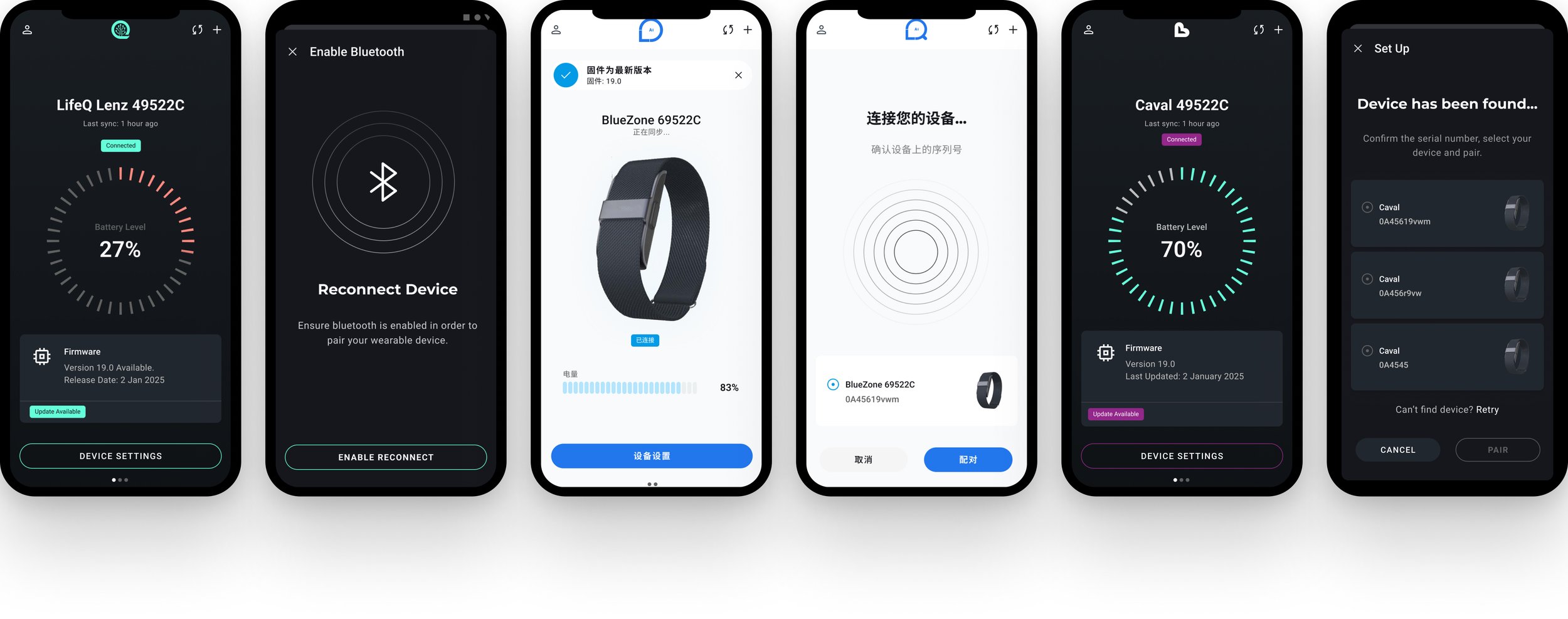
Simplify the device pairing journey with clear, step-by-step guidance and visual feedback.
Provide transparent connection states (e.g., “searching,” “connected,” “syncing”) to reduce uncertainty.
Ensure background data synchronization so users never needed to manually manage transfers.
Balance technical complexity (Bluetooth, background permissions, data encryption) with a human-centered experience that felt effortless.
The result was a lightweight, dependable companion app that acted as the invisible bridge between wearable and platform — empowering users to focus on their health insights, not on the connection behind them.
The Problem
Bluetooth pairing is one of the most common points of friction in connected health products.
Failed pairing attempts
Unclear connection states
Confusing permission requests
Manual data syncing frustrations
The Design Goals
Users experience:
Simplify the pairing journey with guided, step-by-step flows
Provide transparent connection states to reduce uncertainty
Create visual reassurance during device discovery and syncing
Firmware versions
Background permissions
BLE protocols
Encryption layers
Automate background synchronization & connection
Users don’t understand:
Balance technical reliability with human-centred design
Users expect:
“It should just connect”

The Process
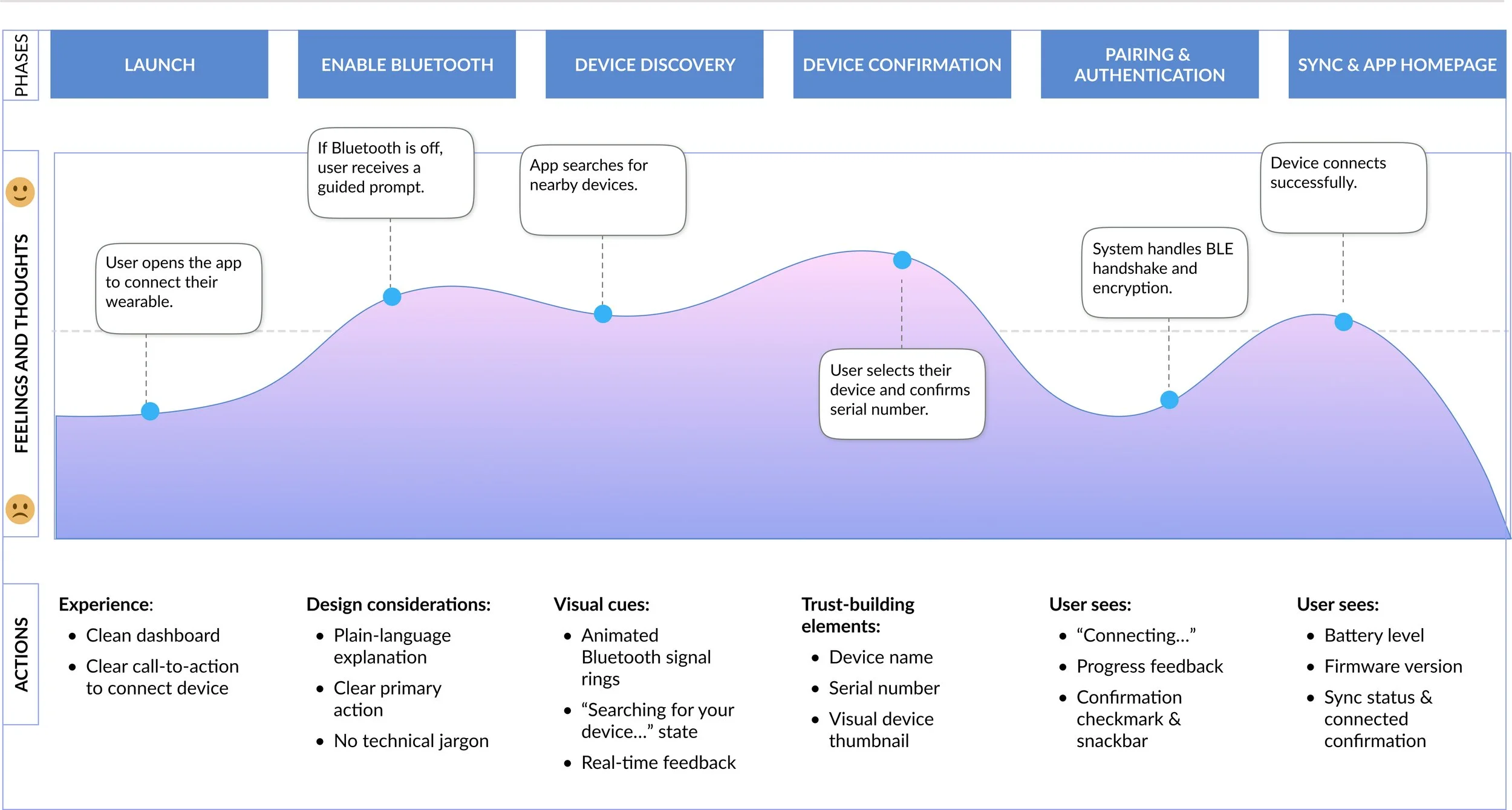
User Journey
Primary User Goals:
Reduce uncertainty during wait time.
Prevents accidental pairing and builds confidence.
Technical complexity remains invisible.
Data sync runs automatically in the background.
Key Design Considerations
-
![]()
Progressive disclosure to avoid cognitive overload
-
![]()
Clear state-based messaging
-
![]()
Visual confirmation to reduce pairing anxiety
-
![]()
Automated background syncing
-
![]()
Firmware update surfacing
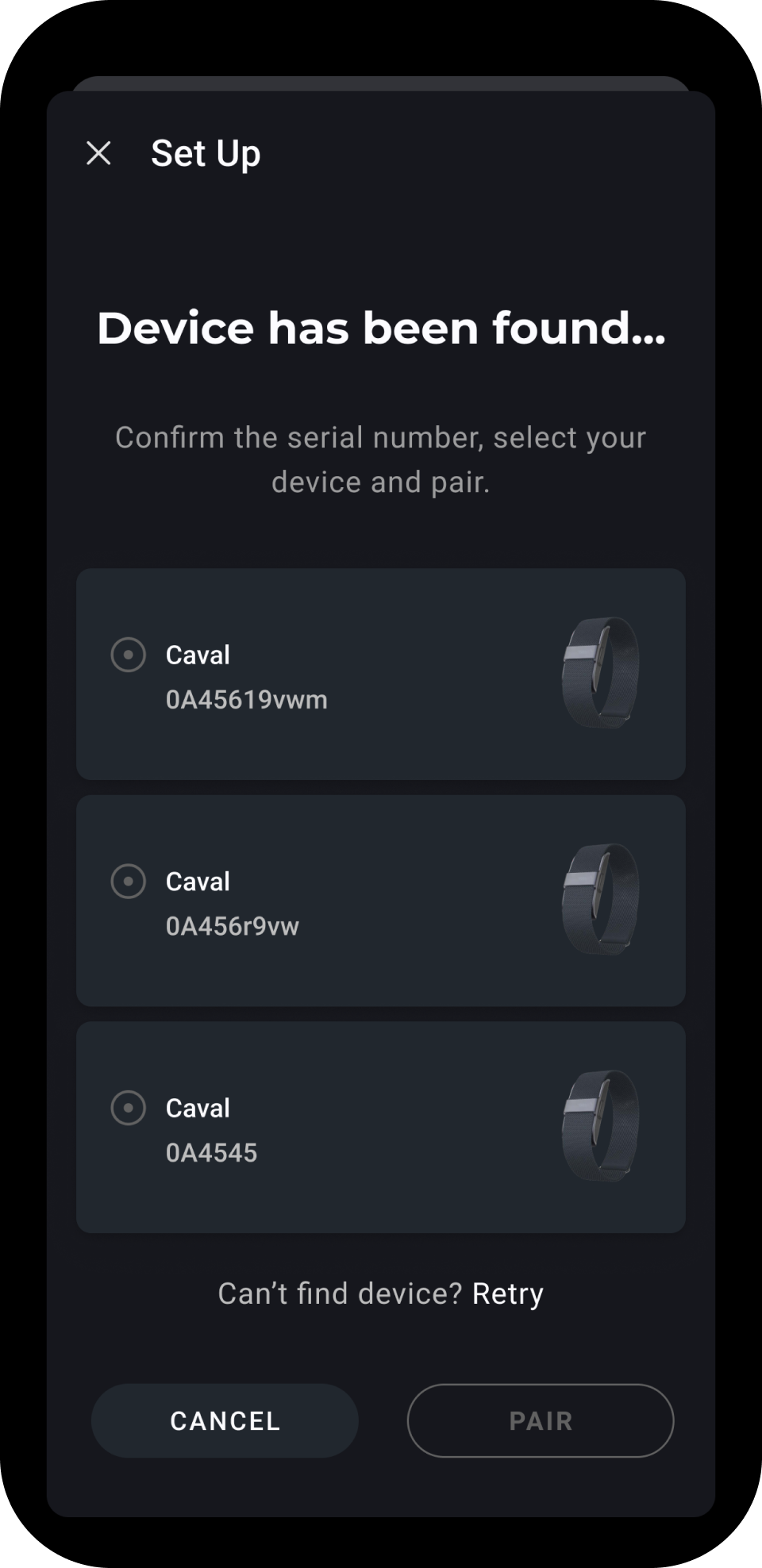
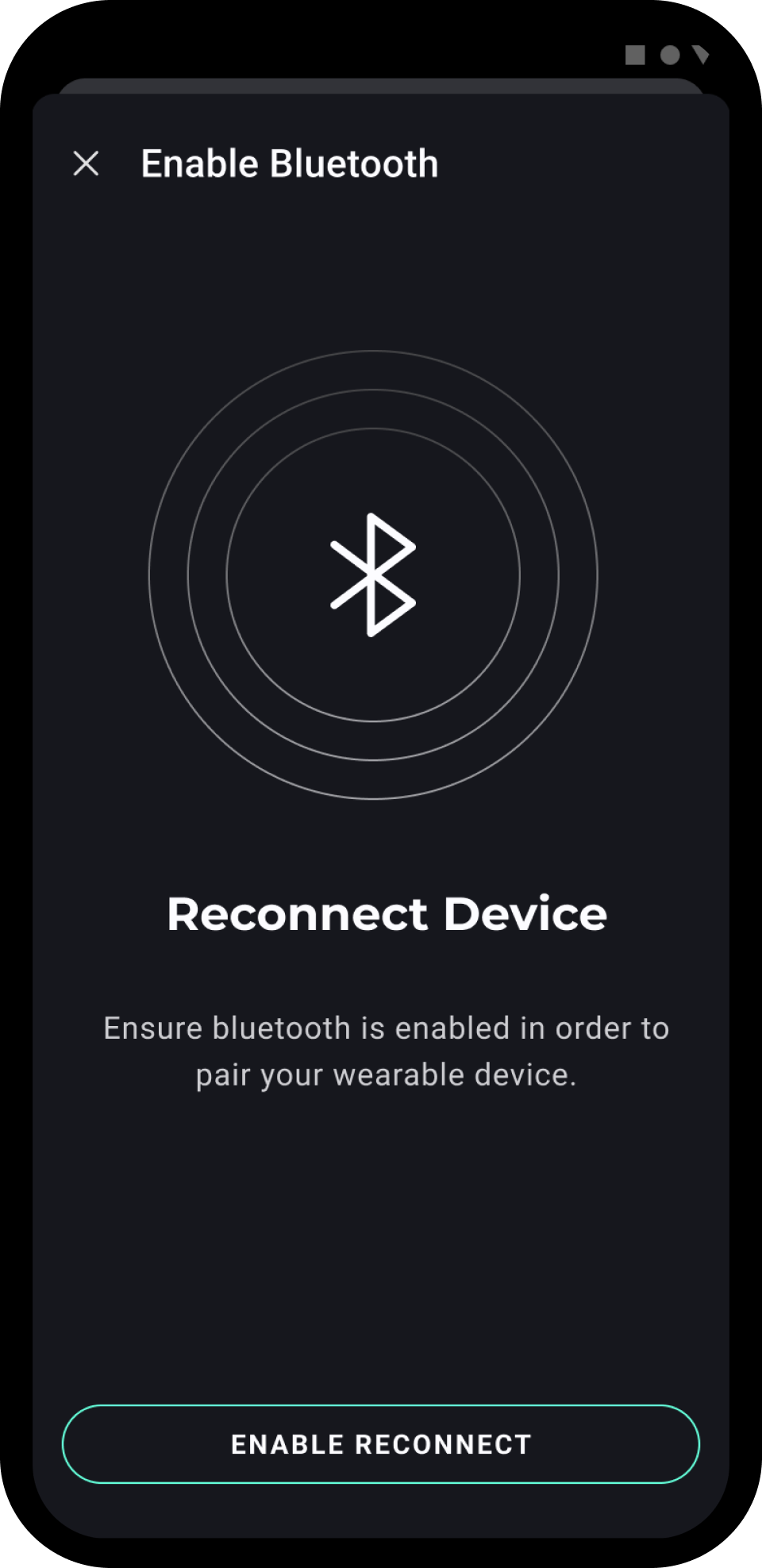
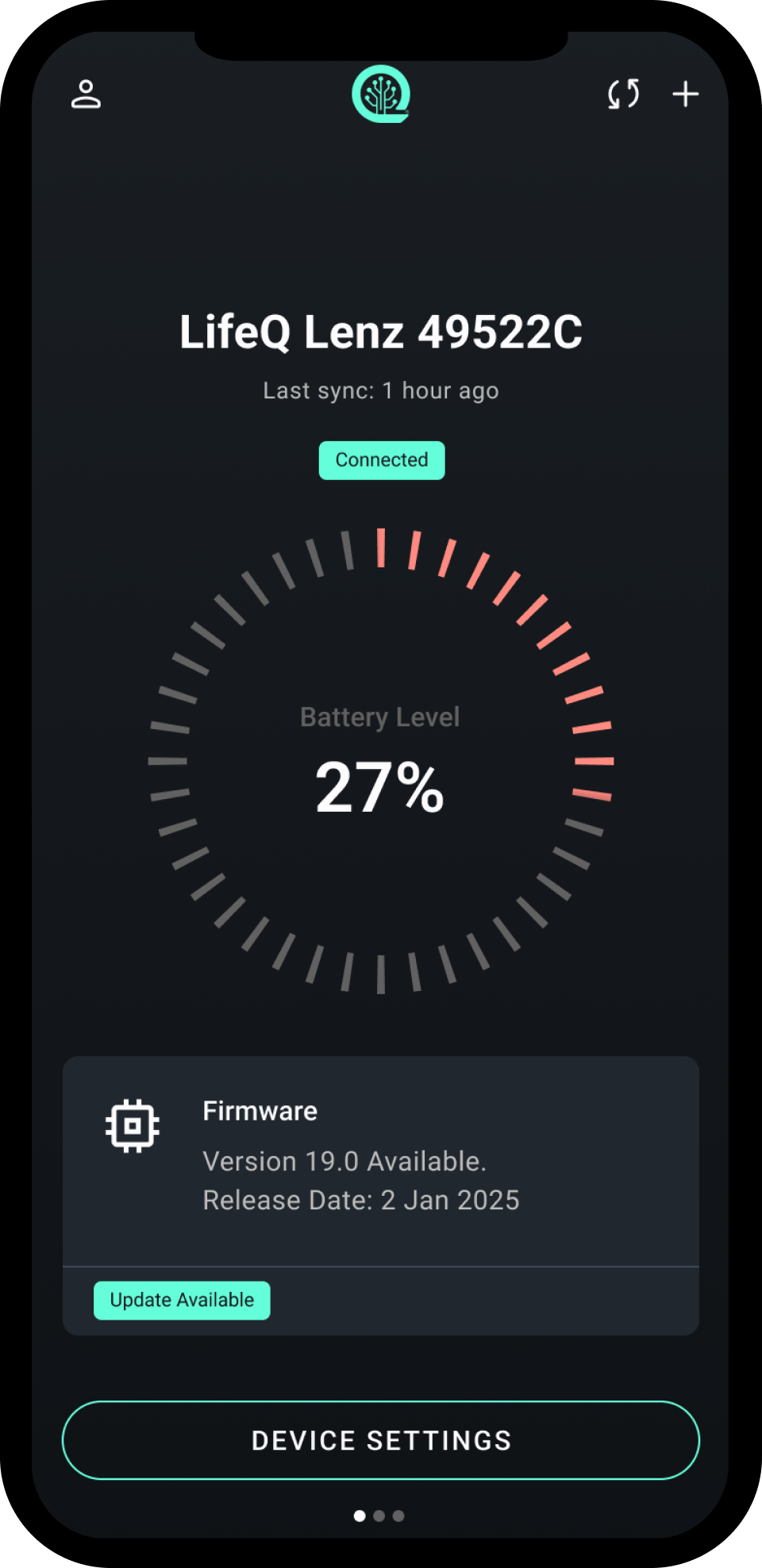
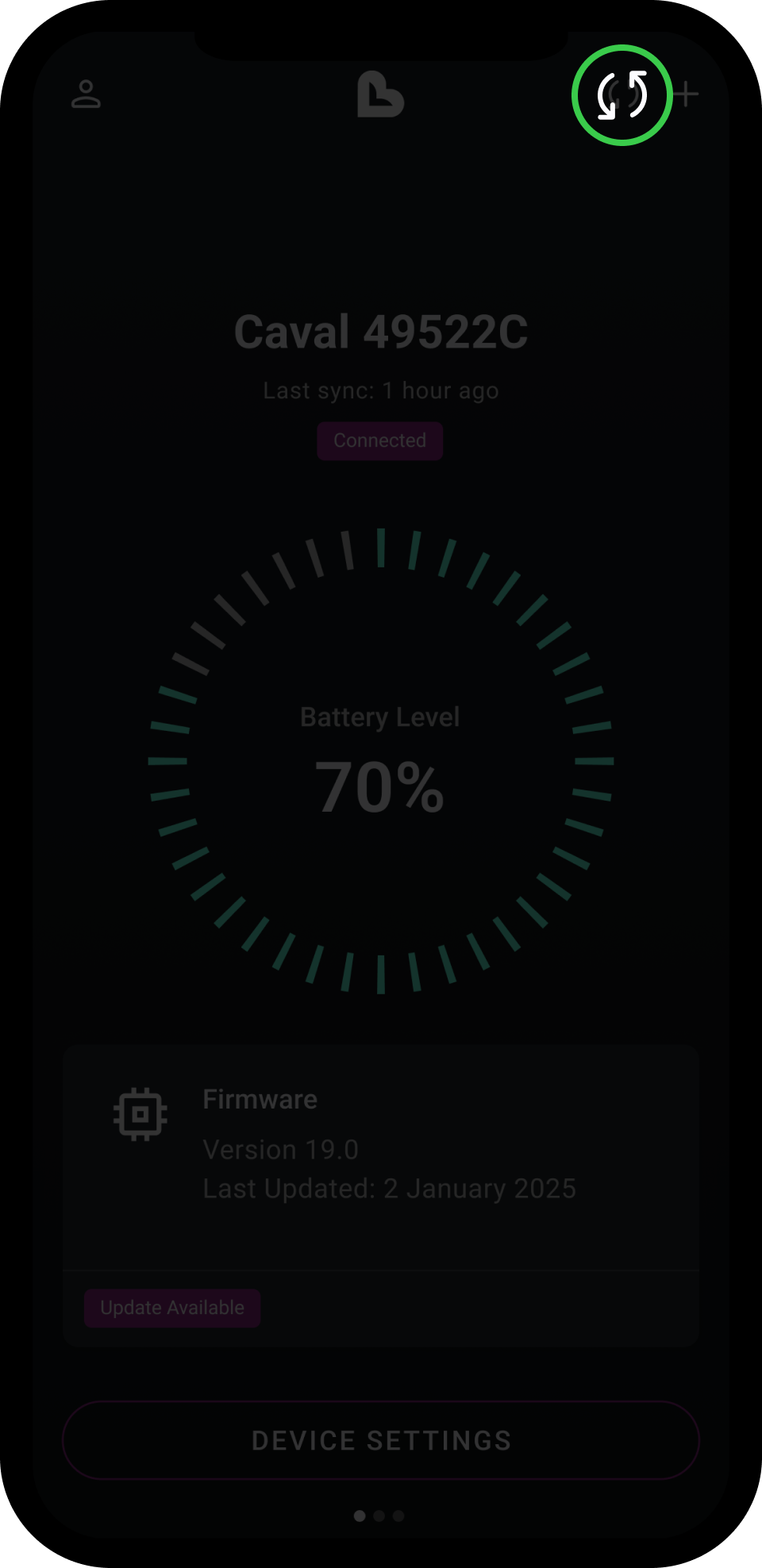
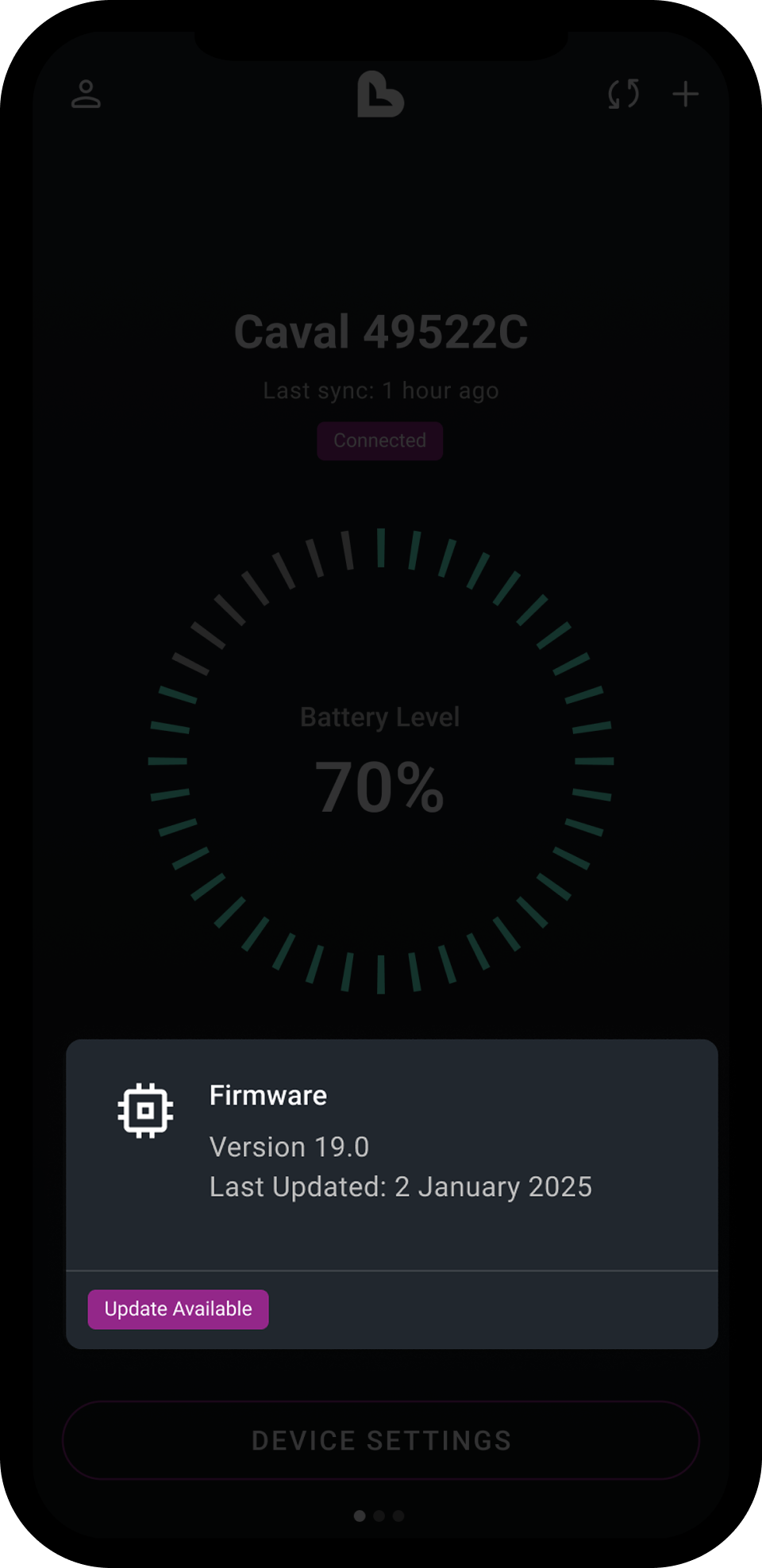
The goal was to make complex infrastructure feel effortless.
The Final Product
Available on:

The result was a lightweight, reliable companion app that:
Reduced pairing friction
Increased user confidence during setup
Enabled passive, secure data flow
Strengthened trust in the broader health ecosystem